WordPress Website Maintenance: Keeping Your Site Fast, Secure, and Up to Date
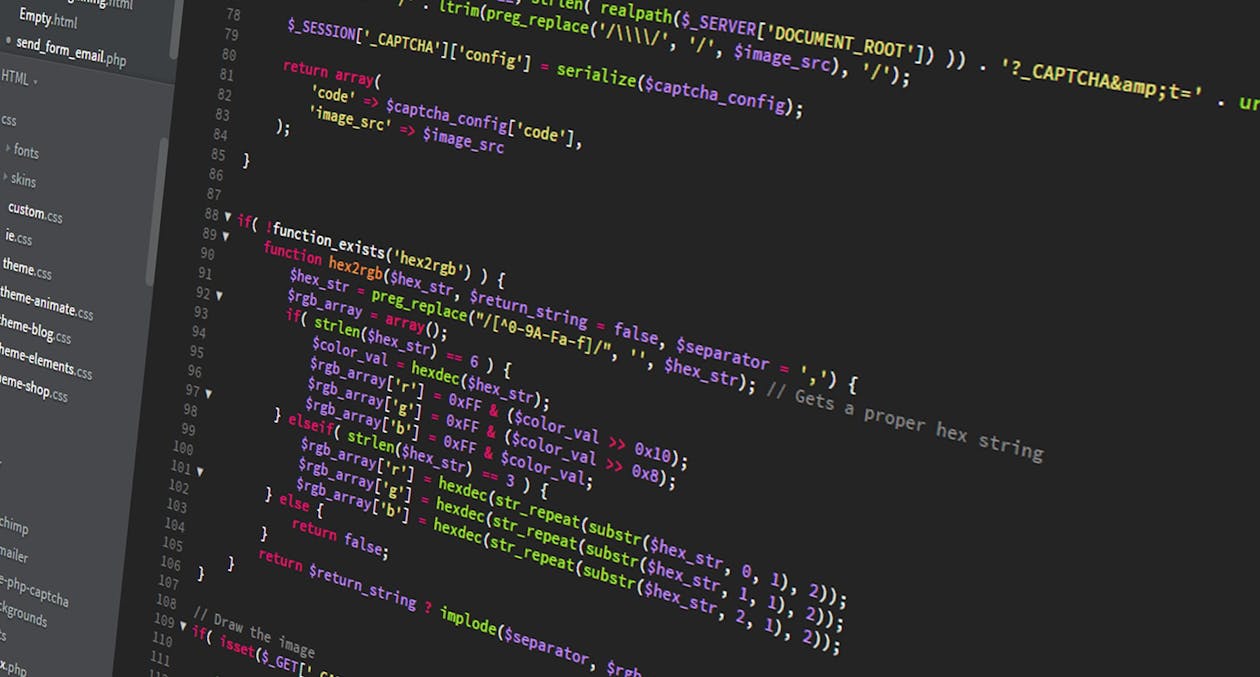
If your WordPress website is sitting there without regular attention, it is quietly becoming a liability. Business owners across Minneapolis and the Twin Cities often reach out to us after something has already gone wrong — a hacked site, a broken plugin update, or a page that loads painfully slow on mobile. The good news is that all of it is preventable. Investing in proper wordpress website maintenance packages means your site stays fast, stays secure, and keeps working for your business around the clock — without you having to think about it.
What WordPress Website Maintenance Actually Involves
Maintenance is not just clicking the "Update" button once in a while. A properly maintained WordPress site requires consistent, layered attention across several technical areas. When any one of these areas is neglected, the risk to your site compounds quickly.
At the core, WordPress maintenance covers:
- Core WordPress updates — WordPress regularly releases updates that patch security vulnerabilities and improve performance. Running an outdated version is one of the leading causes of hacked websites.
- Plugin and theme updates — Plugins are the most common attack vector for WordPress sites. Outdated plugins with known vulnerabilities are actively targeted by automated bots.
- Database optimization — Over time, your WordPress database accumulates post revisions, spam comments, transients, and orphaned data that slow things down.
- Uptime monitoring — If your site goes down, you want to know immediately — not when a customer tells you.
- Broken link checks — Dead links hurt both user experience and your search engine rankings.
None of these tasks is especially complicated on its own, but they all need to happen on a schedule, and they all need to be done carefully. Updating a plugin incorrectly — without first staging and testing — can break your site instantly.
Backups: Your Most Important Safety Net
Before any update is run, before any change is made, your site should have a complete and verified backup. This sounds obvious, but it is one of the most commonly skipped steps among site owners who manage their own WordPress installations.
A backup strategy worth relying on includes three things: frequency, redundancy, and testing. Daily backups stored in at least two separate locations — for example, your hosting server and an offsite cloud service like Amazon S3 or Dropbox — give you real protection. Weekly backups alone are not enough if you are publishing content regularly, processing orders, or collecting form submissions.
Just as important is actually testing your backups. A backup file that cannot be restored is worthless. Part of any solid WordPress maintenance plans should include periodic restore tests to confirm that your backup files are clean and complete.
If you are a Minnesota business with e-commerce, membership content, or appointment booking on your site, the cost of losing even a single day of data can be significant. Treat backups as seriously as you would treat the lock on your front door.

Security Scanning and Hardening
WordPress powers over 40% of the web, which makes it a high-value target. The sheer volume of WordPress sites means attackers do not need to target you specifically — they run automated scripts that probe thousands of sites simultaneously, looking for known vulnerabilities in outdated plugins, weak passwords, or exposed login pages.
Ongoing security maintenance means you are not waiting for an attack to happen before you respond. It includes:
- Malware scanning — Regular scans using tools like Wordfence or Sucuri to detect malicious code before it causes damage.
- Login protection — Limiting login attempts, enabling two-factor authentication, and changing the default login URL significantly reduce brute force risk.
- SSL certificate monitoring — An expired SSL certificate causes browsers to flag your site as unsafe, which drives visitors away immediately.
- File integrity monitoring — Alerts when core WordPress files are modified unexpectedly, which is often the first sign of a compromise.
- Firewall rules — A web application firewall (WAF) blocks malicious traffic before it even reaches your site.
Security hardening is not a one-time setup. Threat landscapes change, new vulnerabilities are discovered, and your site's configuration can drift over time as plugins and themes are added or updated. Staying ahead of this requires consistent monitoring, not a single setup call.
Performance Monitoring and Speed Optimization
A slow website costs you real business. Google uses page speed as a ranking factor, and studies consistently show that visitors abandon sites that take more than three seconds to load. For Minneapolis businesses competing in local search, a sluggish site is a direct competitive disadvantage.
Performance maintenance means actively monitoring your site's speed and diagnosing the causes of slowdowns — not just hoping it stays fast. Common culprits include:
- Uncompressed images that were uploaded at full resolution
- Plugins that load unnecessary scripts on every page
- A caching layer that has become stale or misconfigured
- A hosting plan that has outgrown the site's needs
- Third-party embeds like chat widgets or video players that block page rendering
Regular performance audits using tools like Google PageSpeed Insights, GTmetrix, or Lighthouse give you concrete data on where your site stands and what needs to change. A good WordPress management routine includes running these checks monthly and addressing regressions before they affect your rankings or user experience.
Caching configuration, image optimization workflows, and code minification are all part of keeping performance sharp. For sites on managed WordPress hosting, many of these layers are handled at the server level — but they still need to be reviewed when plugins change or new content types are added.

Choosing the Right WordPress Website Maintenance Package
Not every site has the same needs, and not every maintenance provider offers the same level of service. When evaluating wordpress website maintenance packages, it is worth looking beyond the price and asking specific questions about what is actually included.
Here is what to look for:
- Update frequency — Are updates applied weekly? Monthly? After testing on a staging environment first?
- Backup retention — How many days or weeks of backup history is kept, and where are backups stored?
- Response time guarantees — If something breaks after an update, how quickly will someone respond?
- Security incident support — If your site is hacked, is malware cleanup included, or is that an additional charge?
- Reporting — Will you receive a monthly report showing what was done, how your site performed, and any issues that were found?
- Point of contact — Are you working with a local team that understands your business, or submitting tickets to an anonymous support queue?
For businesses in the Minneapolis area, working with a local agency means you have a real relationship with the people managing your site. You can have a conversation, not just exchange support tickets. That matters when something urgent comes up.
Some owners choose to self-manage their WordPress sites to save money, which is understandable — but it requires a genuine time commitment and a willingness to stay current on WordPress security news and best practices. For most business owners, that time is better spent running their business.
Conclusion
A neglected WordPress site does not fail all at once — it degrades quietly until something breaks badly enough to demand attention. Regular updates, verified backups, active security monitoring, and consistent performance checks are what keep your site working reliably as a business asset. At Website Designer MN, we build and maintain WordPress sites for businesses across Minneapolis and the Twin Cities with exactly this kind of structured, ongoing care. If you are ready to stop worrying about your website and start trusting it, learn more about our WordPress maintenance plans and find the right fit for your business.
Ready to Grow Your Business?
Get a free consultation with our team. No pressure, no commitment.
Get a Free Quote